
Albumi already ships two auto-albums — per-application Integration Maps and per-data-object Lineage diagrams. This release adds a workspace-wide counterpart: Landscape Views, a new auto-album that draws every application and every integration in your workspace on a single canvas - grouped, laid out, and kept in sync automatically.
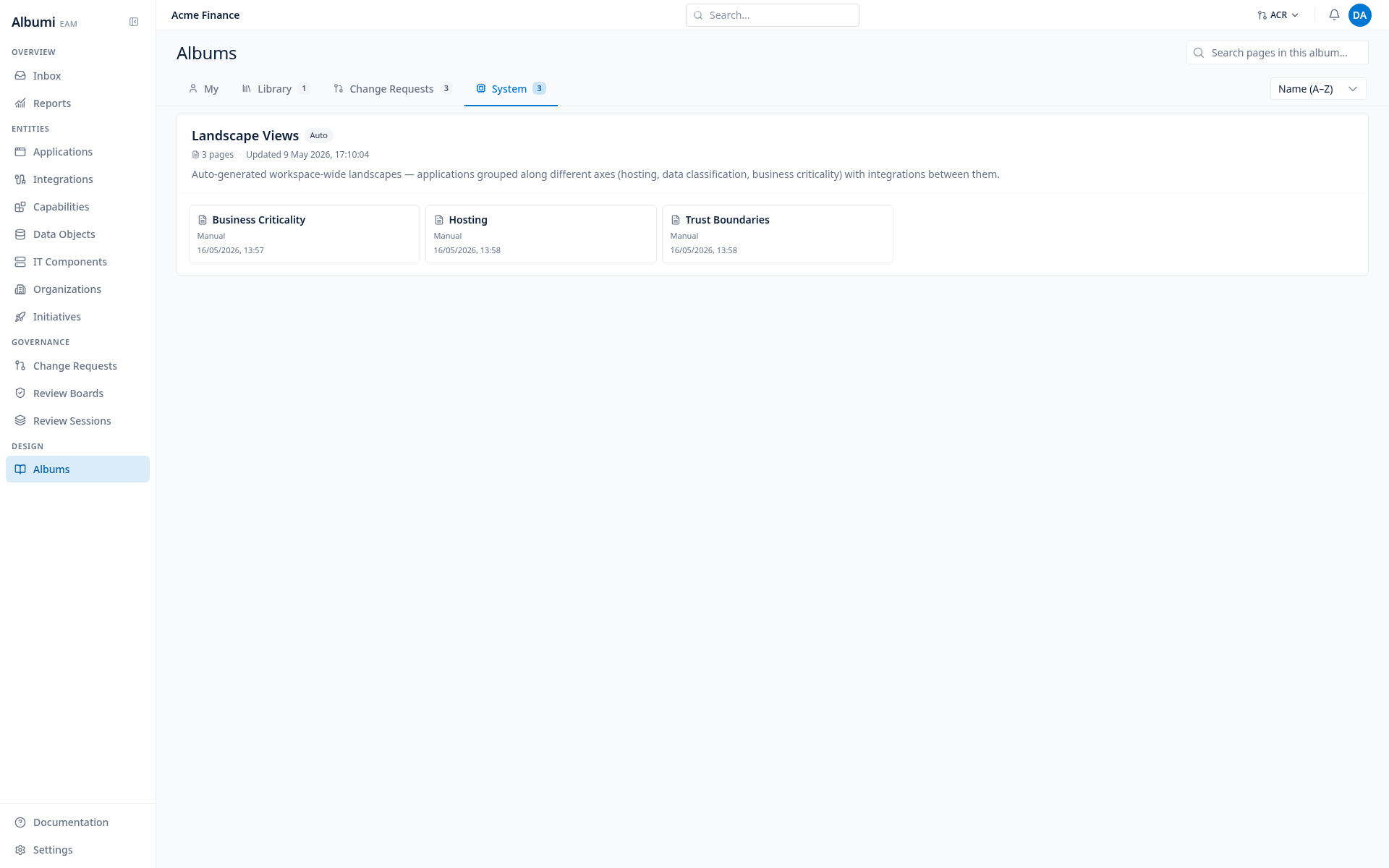
Three views, one album
Open the album and you get three pages. Same applications, same integrations, three different ways of slicing them.
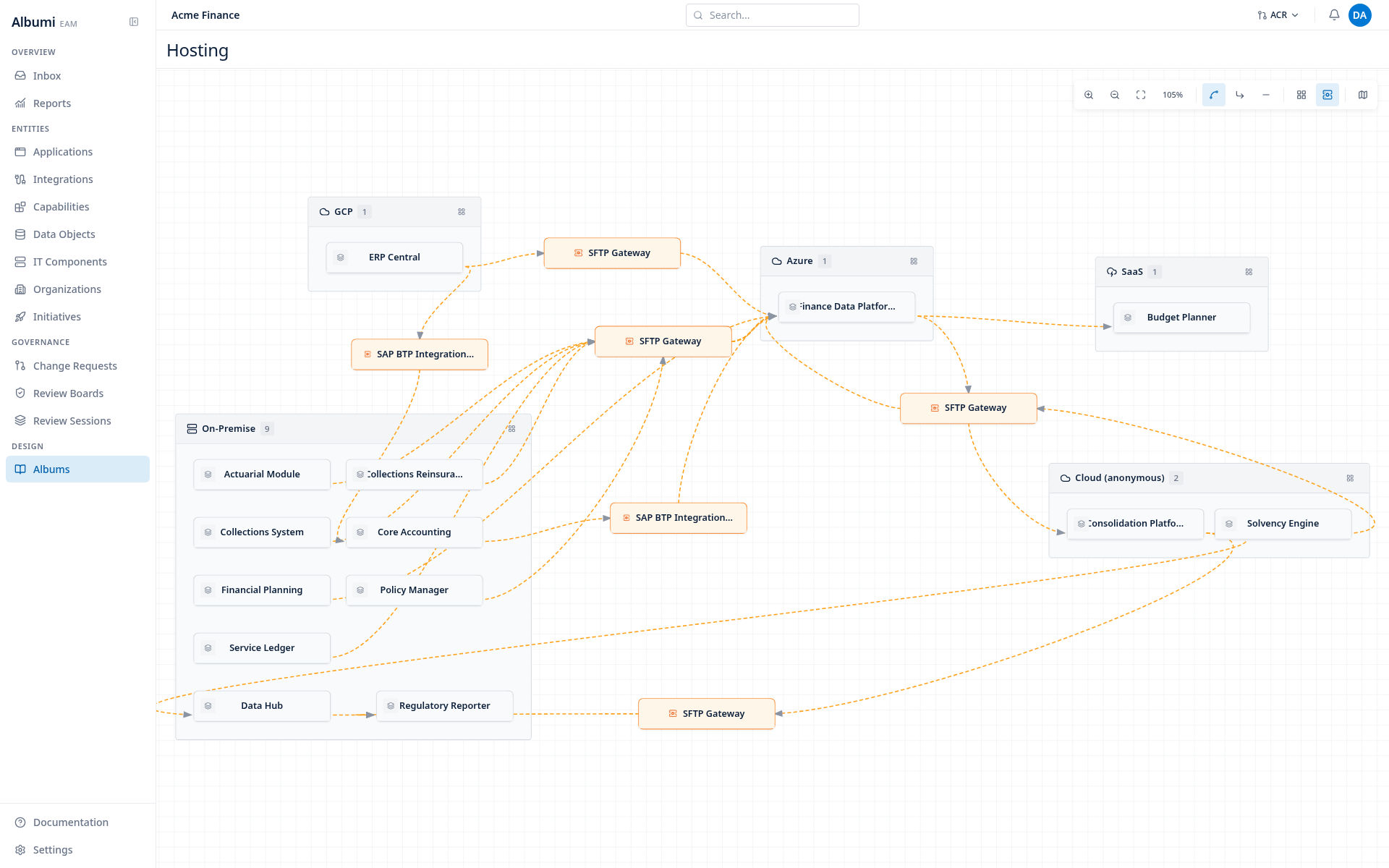
Hosting
Apps grouped by where they run (On-Premise / AWS / Azure / GCP / SaaS / other clouds). Reveals which integrations cross the cloud boundary and which middleware sits on that boundary.
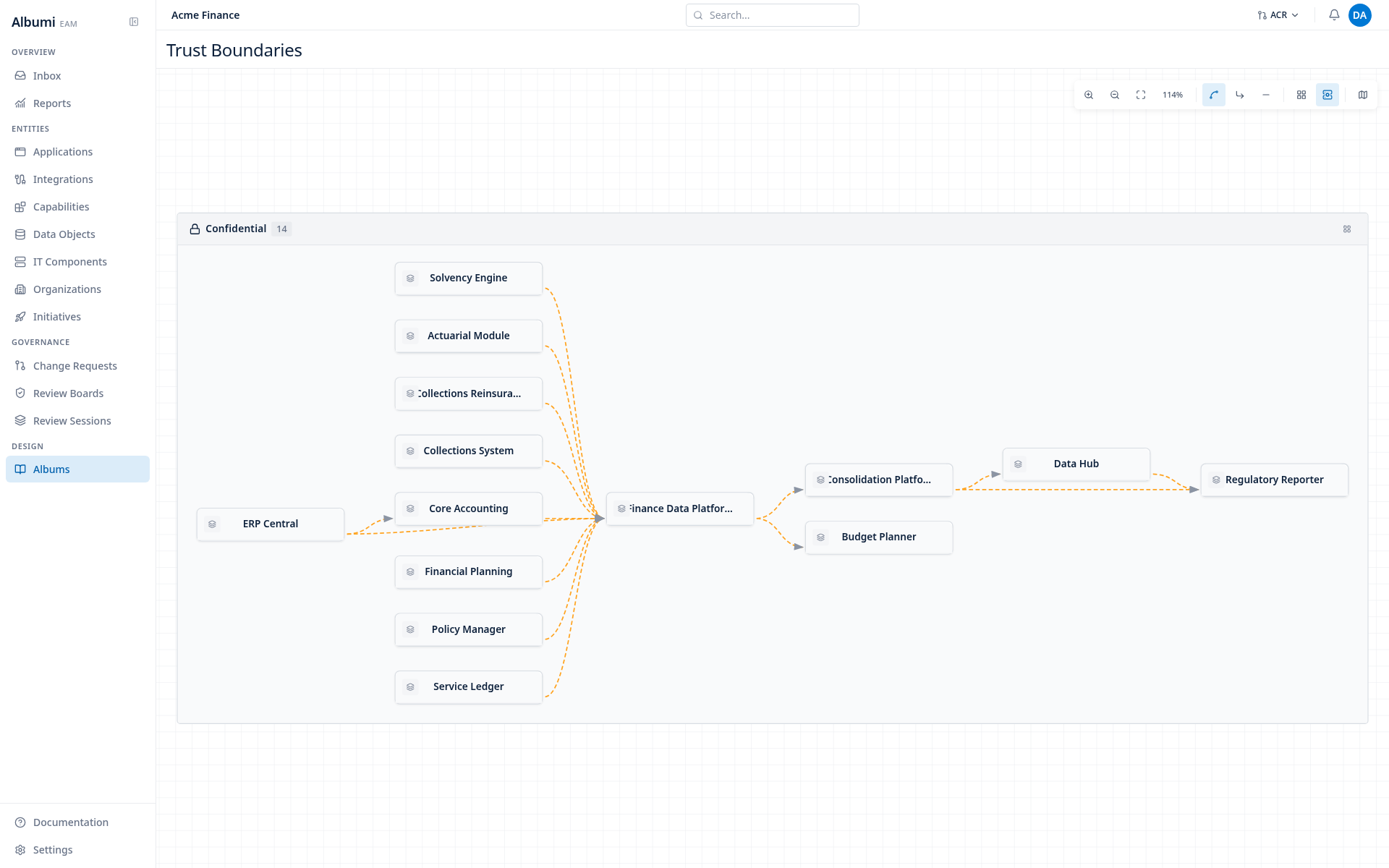
Trust Boundaries
Apps grouped by data classification (Internal / Confidential / Restricted / Public). Surfaces every place a Confidential dataset touches an Internal system - and the middleware that brokers it.
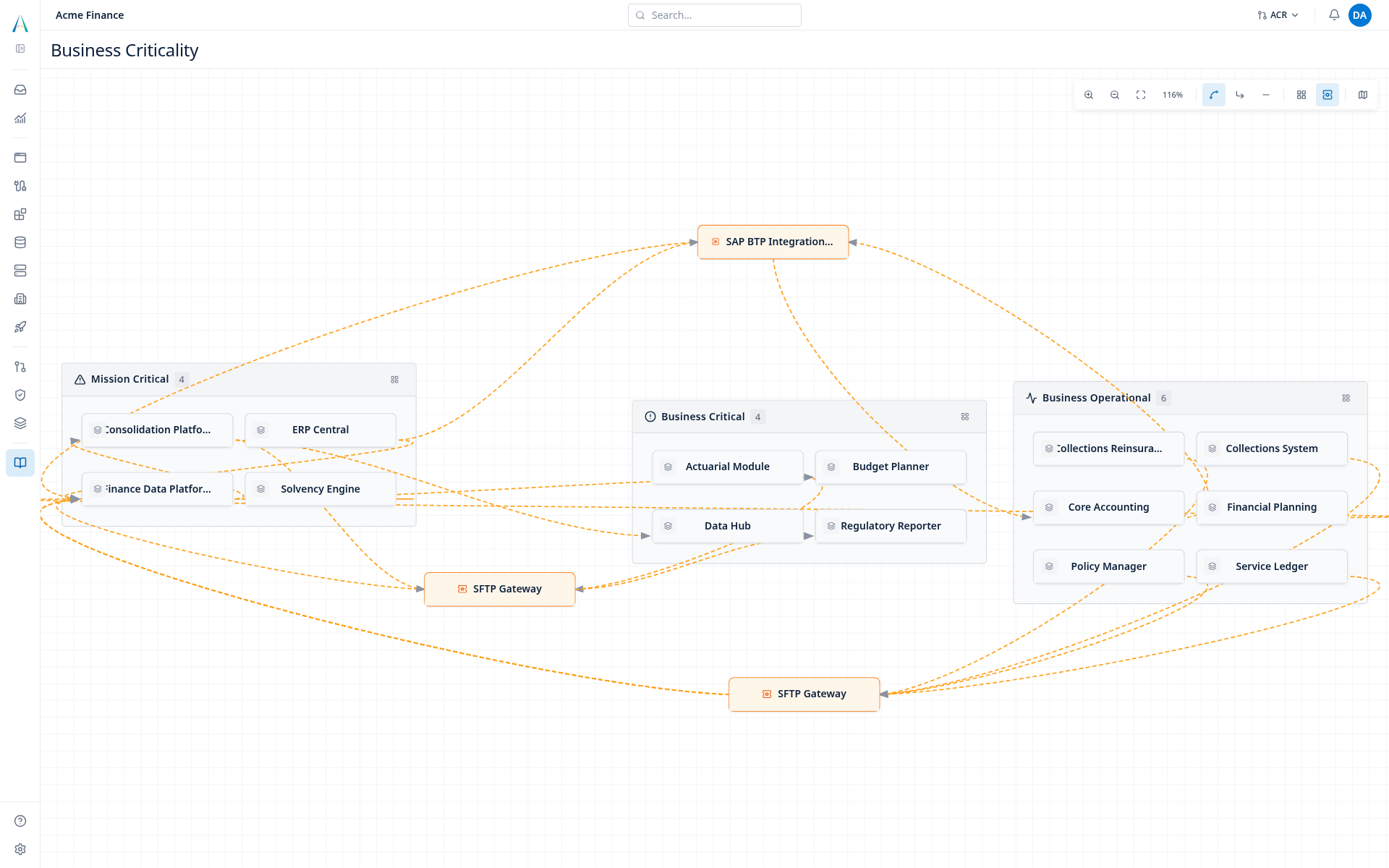
Business Criticality
Apps grouped by criticality (Mission Critical / Business Critical / Business Operational / Administrative). Shows what your most critical apps depend on - including the long tail of lower-tier tools quietly holding up the business.
A real diagram, not a static export
Each page is a working canvas, not a screenshot frozen in time:
- Drag groups and nodes to lay it out the way you want. Positions are persisted per-page.
- Click an integration to inspect or edit it without leaving the diagram.
- Toggle middleware on or off. With it on, integrations route through their middleware nodes - an SFTP gateway between On-Prem and AWS shows up as its own node, with edges entering from both sides.
- Auto-layout a single group when one cluster gets messy, without disturbing the rest.
- Switch the connection style (adaptive curve / segment / straight) to fit your taste.
Middleware that tells the truth per-view
A subtle behaviour worth calling out. The same physical middleware can appear once on the Hosting page (between AWS and On-Premise) and twice on the Business Criticality page (once between Mission Critical ↔ Business Critical, once between Mission Critical ↔ Administrative). It's the same component on each, but the boundaries it bridges differ - so the picture differs. Each page tells the truth from its own angle.
Within a single group, middleware is hidden: if both ends of an integration sit in the same bucket, the middleware is an implementation detail of that bucket, not part of the landscape.
Nothing to configure
The album is created automatically for every workspace and re-syncs whenever your portfolio changes. New application, new integration, new middleware - the diagram catches up on the next open. Find it in the Albums list alongside the other auto-albums.
If you've been building Application Integration Maps one-app-at-a-time to get a sense of the whole landscape, this is the view you've been assembling.