
Everything you need to map, analyze and govern your IT landscape.
Six capabilities - under one model, kept current by your AI agent.
AI integration via MCP
Connect your AI agent - Claude, Cursor, or any MCP-compatible tool - directly to your architecture data. Generate models from documents, validate consistency, run automated audits, and push changes as reviewable Architecture Change Requests.
- Generate architecture from documents and spreadsheets
- Validate schema and referential integrity
- Built-in architecture audits
- Push changes as reviewable Change Requests
# Install and authenticate
npm install -g @albumi/cli
albumi login

# Add to Claude Code
/plugin install albumi@albumi-cli
/reload-plugins

# Then talk to it:
"Generate our architecture from this
wiki page. Validate and audit it.
Push as 'Initial Import'."

# Result:
✓ 45 applications, 67 integrations
✓ 3 critical findings identified
✓ ACR created for review
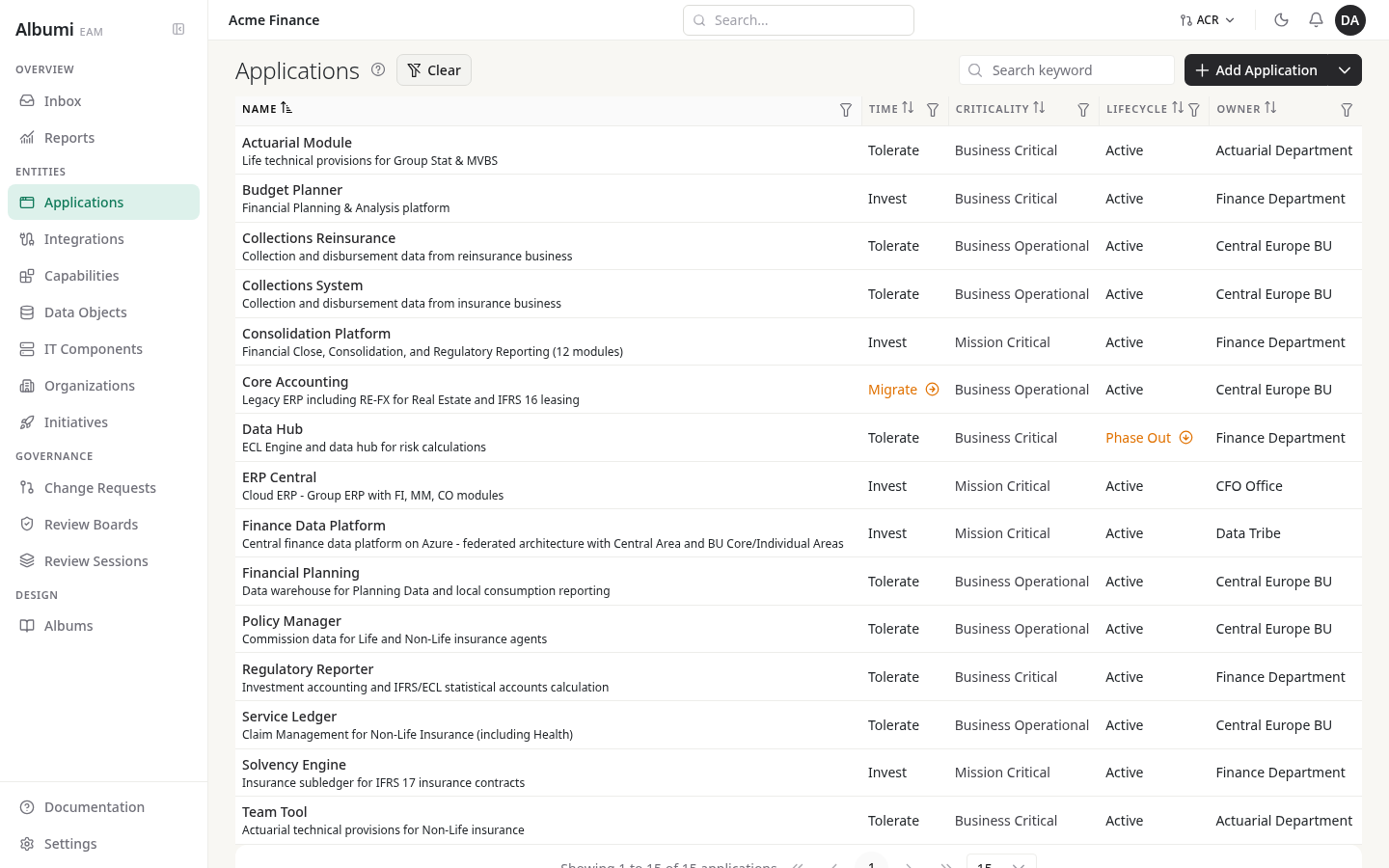
Application portfolio
Know what you have, who owns it, and how it supports the business. Applications, organization hierarchy, ownership and business capabilities - all in one registry.
- TIME classification and lifecycle tracking
- Organization hierarchy and ownership
- Business capability mapping with gap analysis
- Business criticality and technology stack
Integration & data lineage
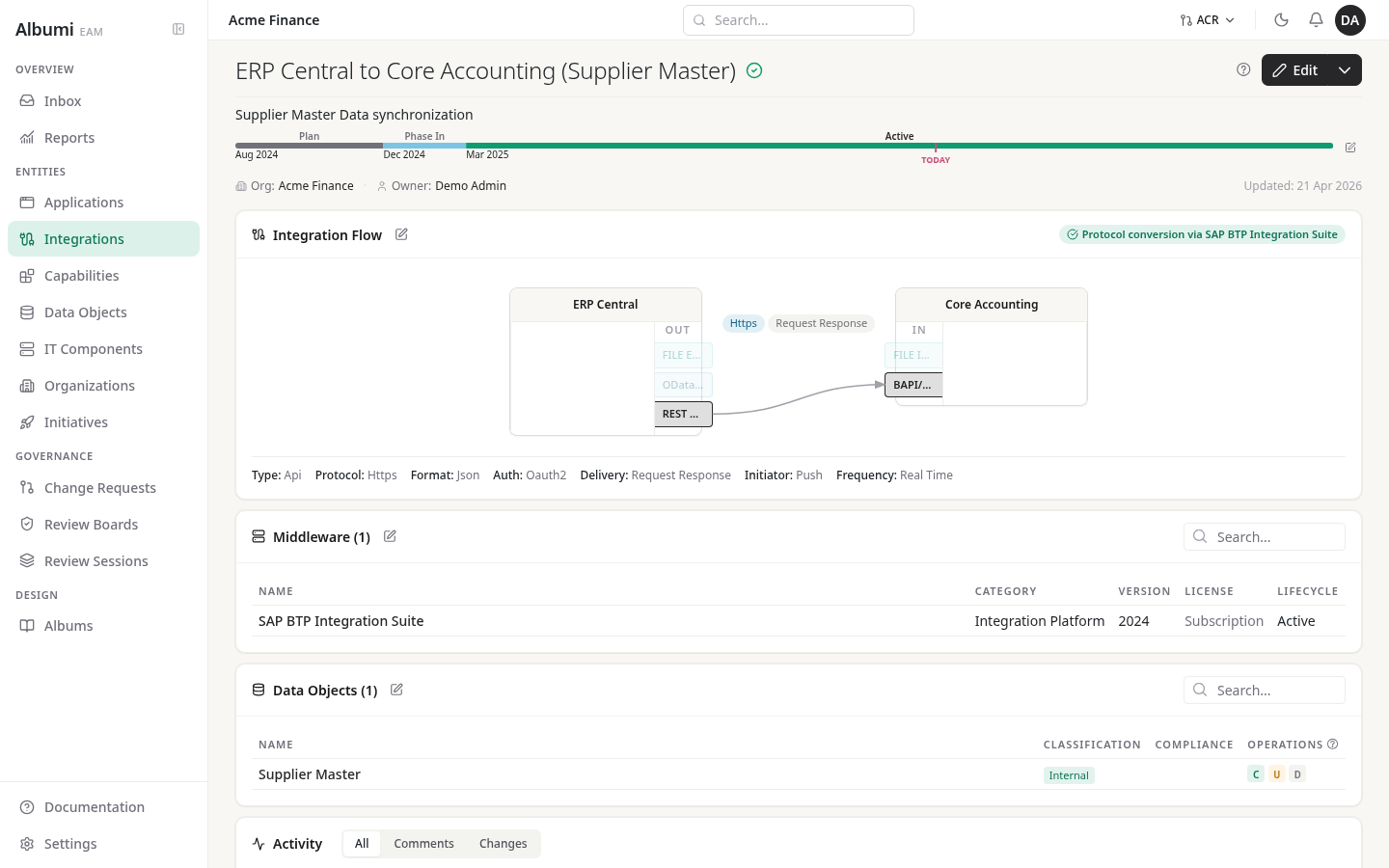
Map every integration between your systems. Trace every data flow from System of Record to every consumer - with PII tracking and data classification.
- Integration catalog with protocols and middleware
- Auto-generated lineage from CRUD declarations
- PII flag and four-level data classification
- Lifecycle management for integrations
Visualization & dependencies
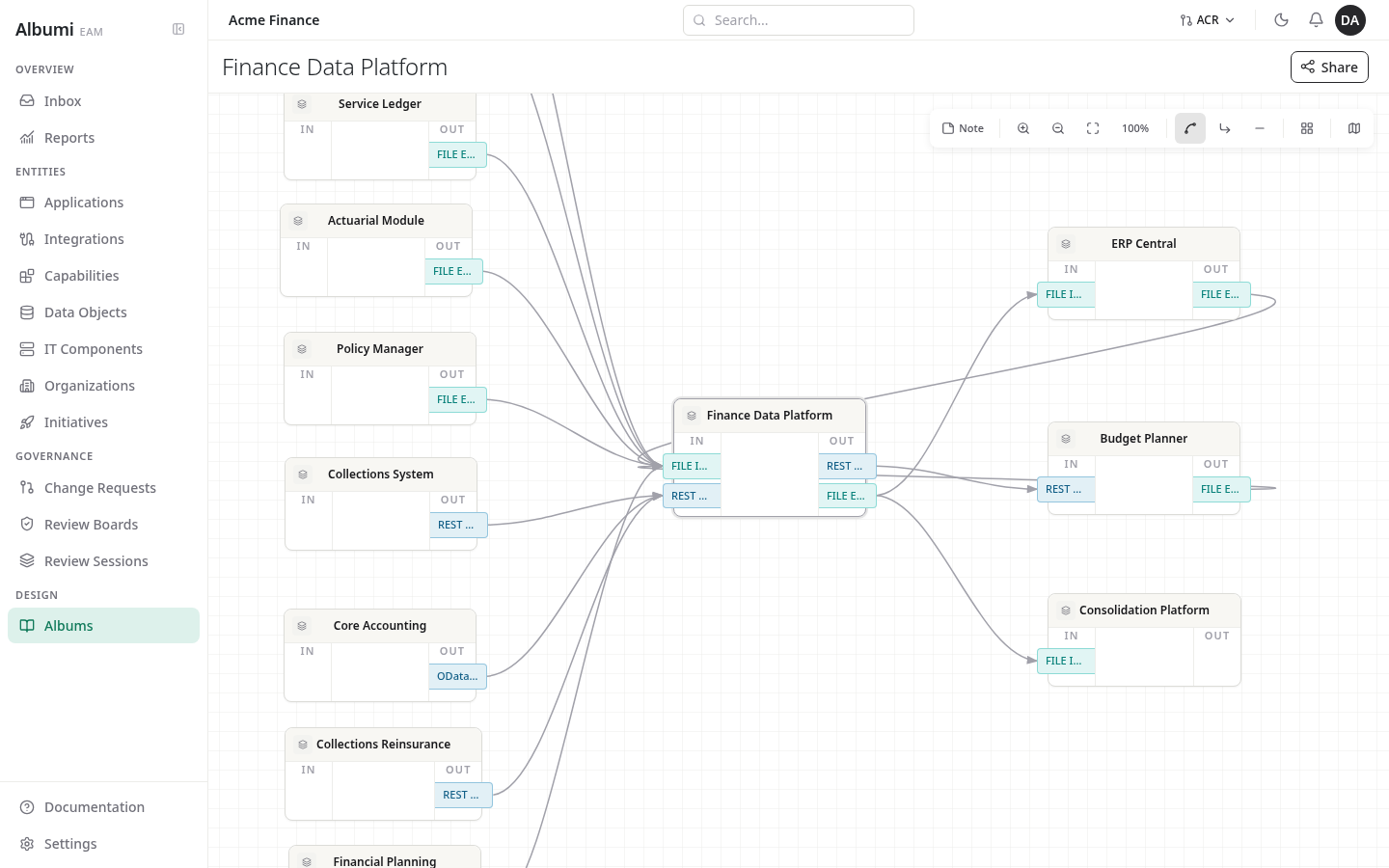
Architecture diagrams generated from your real workspace, updated automatically. Every entity carries its dependency graph inline. Delete blockers refuse breaking operations.
- Live Albums - curated diagrams, no manual redrawing
- Auto Albums - integration map per app, lineage per data object
- Dependency view inline on every entity page
- Change Request Albums show diff before approval
Governance & initiatives
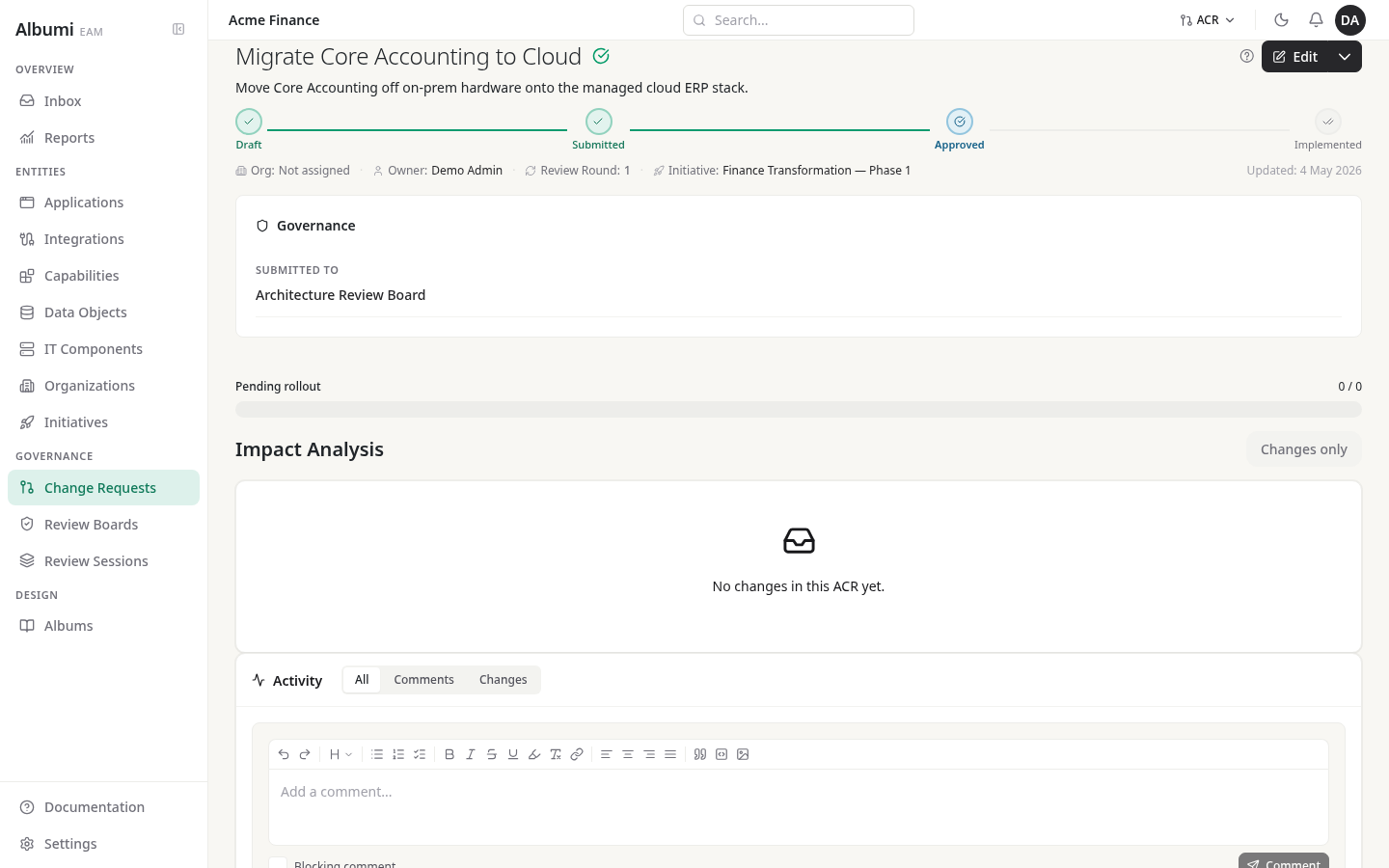
Structured architecture change management with Architecture Change Requests, Review Boards, and initiative tracking. Every change is reviewed, approved and tracked.
- Architecture Change Requests with approval workflows
- Review Boards with voting
- Initiative tracking with application impacts
- IT component lifecycle management
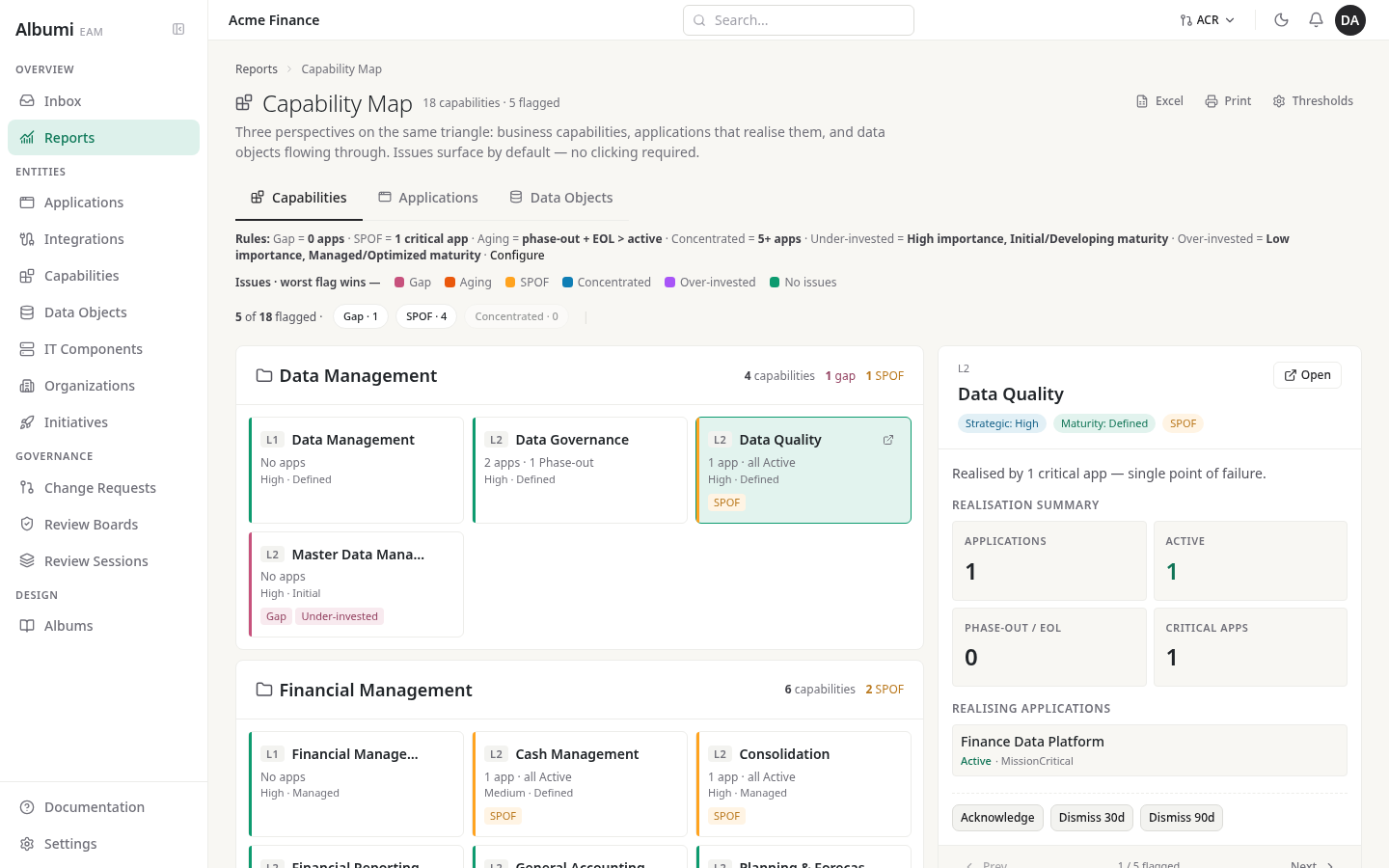
Business capability mapping
Connect applications to the business functions they support - the bridge between your IT landscape and the executive conversations that drive investment.
- Multi-level capability hierarchy
- Many-to-many application-to-capability mapping
- Coverage status: Gap / SPOF / Healthy / Over-Invested
- Strategic importance to prioritize investment
Try Albumi.
Free for up to 3 members. All features, unlimited entities. No credit card.